
To check Sales Forecast in MDSP, please use the following pages:
If you are using Aplication:
DFUToSKUFcst FE
HistFcst FE
Via database, SCPOMGR.DFUToSKUFcst or SCPOMGR.HistFcst
For HistFcst timing is not a problem, table contains snapshot of specific publishing dates after WR.
For DFUtoSKUFcst better to collect data on Monday morning before some updates may have happened on Demand side.
To check Order Forecast in MDSP, please use:
The preferred one is:
ProjOrderSKU FE
table name scpomgr.ProjOrderSKU
In this case you have to export data on Sunday and compare with SCOT on Tuesday. Numbers shall fully match.
You may also use:
PLANARRIVALS FE
table name scpomgr.PlanArriv
In this case numbers will not be identical, cause in this table numbers does not include rounding conditions, MOQ and so on.
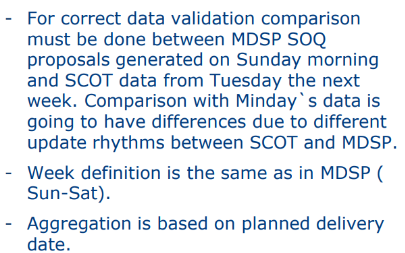
Please, make sure you are following timing conditions described in a playbook:
***
https://jira.metro.digital/browse/SDCORP-1639652
1) if you want to compare forecast for buying bundle the best place is
DFUToSKUFcst
table in MDSP quantities are already converted to buying bundles
2) if you want to see sales forecast data then i recommend to check that in
HistFcst
table you can check fcst values published in last weekly run ( the same as are shared with EDGE).