
How to assign users to active directory (AD):
- To add or remove users from AD login to RAT tool- https://rat.mgi.de/rat/Userservice/GroupManagementUser.aspx?OrderType=GroupManagement
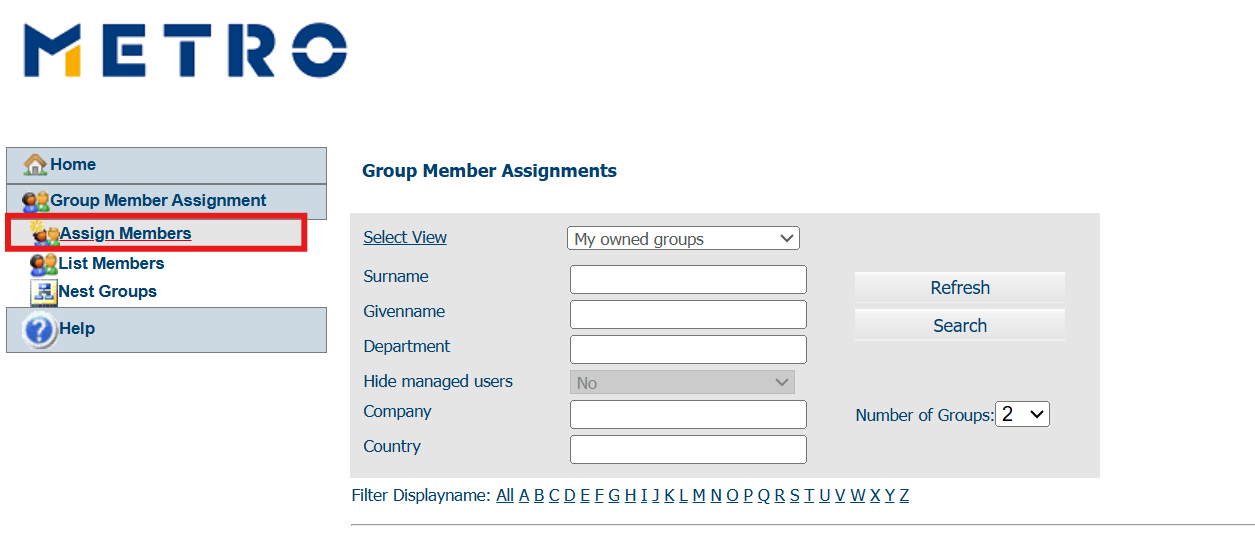
- Click on assign members
(Refer the below Image)
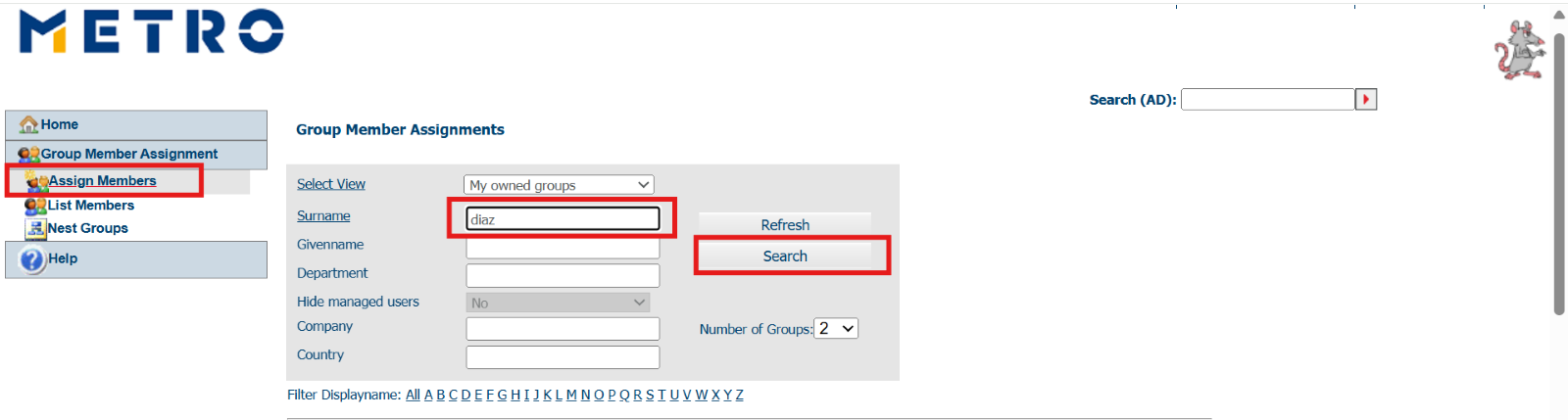
- Enter surname Example: diaz and click on search
(Refer the below Image)
- Among the results find your user based on the email address and then choose the country from the drop-down list
(Refer the below Image)
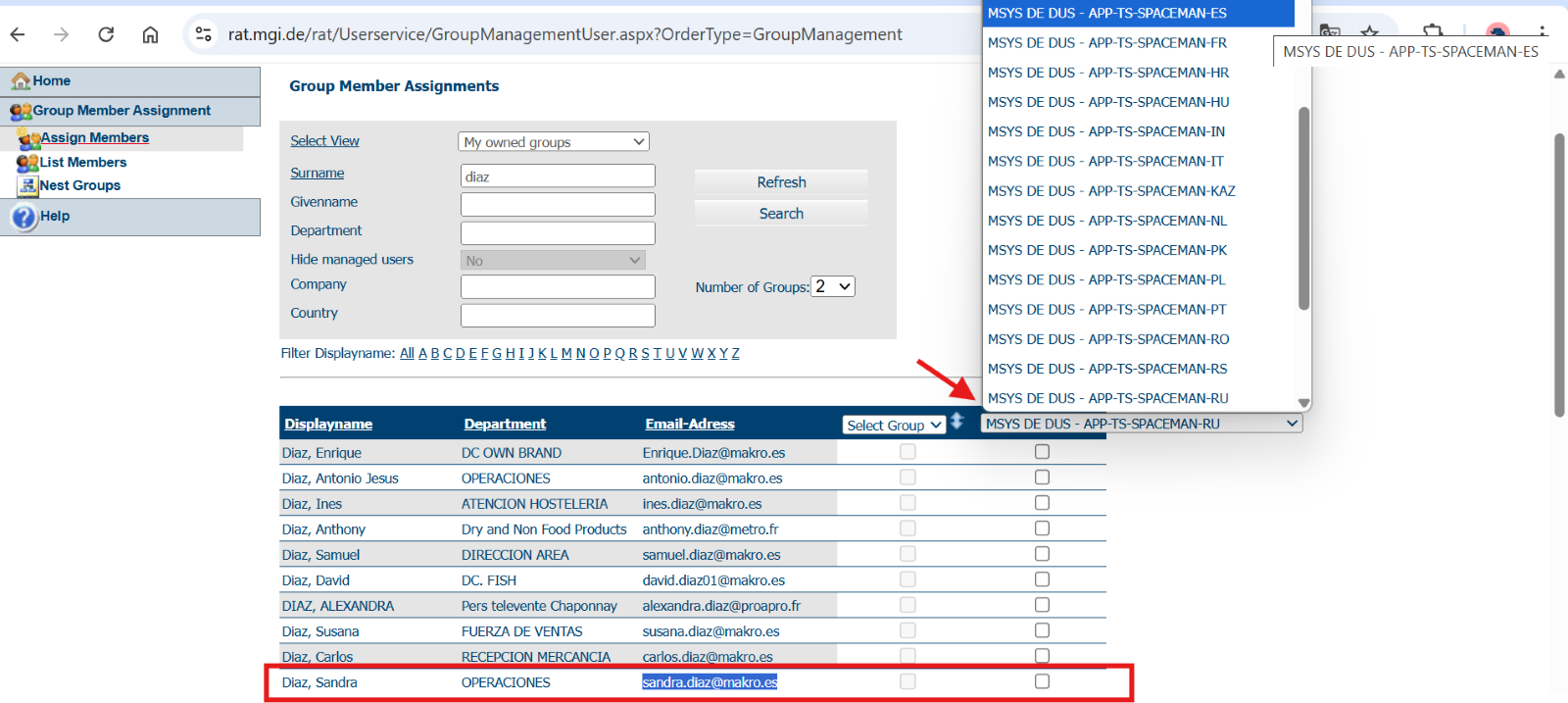
- Once the country is selected,
- Check the box to add the user to AD
(Refer the below Image)

Uncheck the box to remove the user from AD

- Changes are done.
If you Do Not have access to add particular user to Active Directory through RAT tool:
- Create an SR01148: Generic AD Change Request
- Reference: https://jira.metro.digital/browse/SDCORP-1636619
- Mention the user name and the group name to which the person needs to be added.
- Contact person: sumit.kumar15@metroitpartner.com
To get admin access to AD groups:
- Raise an SR04455.13: Create/Change Distribution List or Group with the intended groups and their to be added members, administrators or owners. - Note this is not valid anymore as the SR no was not found